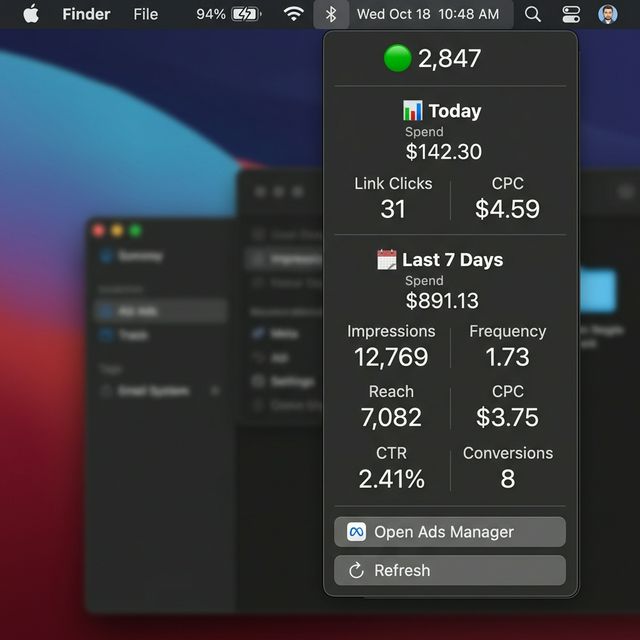
A tiny Mac menu bar tool that watches your Meta ad campaigns and shows you 🟢 when impressions are flowing or 🔴 when they've stalled. Stop wasting money on ads nobody's seeing.
Meta doesn't notify you when campaigns stall. Disapproved ads, exhausted budgets, billing failures — they all happen silently. By the time you check Ads Manager, you've already lost hours of traffic, leads, and sales.
A paused campaign doesn't spend — but lost momentum costs more to recover. You'll pay higher CPMs restarting campaigns that went cold.
Every hour your ads aren't running, potential customers are finding your competitors. At $50+/day ad spend, 6 hours of downtime = $12.50+ gone, plus the leads you'll never get back.
You check Ads Manager 10+ times a day "just to make sure." That's 30+ minutes daily of context-switching and stress that kills your productivity.
Meta sends you nothing when impressions stop. No email. No notification. Your campaigns can be dead for hours before you discover it manually.
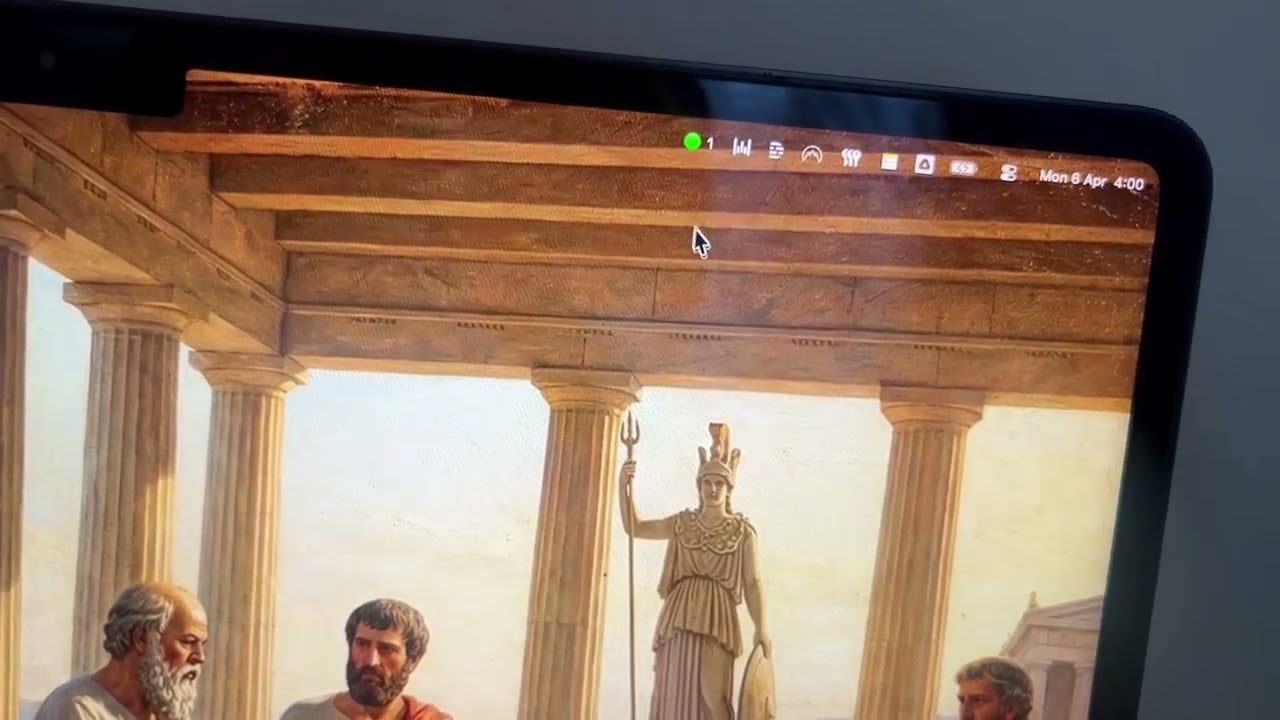
PulseBar lives in your Mac menu bar. A green dot means ads are running. Red means they've stalled. You'll know in under one second — without opening Ads Manager.
Green = ads running. Red = stalled. Gray = error. Know your status without opening anything.
See today's spend, link clicks, and CPC instantly from the menu bar dropdown.
Spend, impressions, frequency, reach, CPC, CTR, and conversions — all in the dropdown.
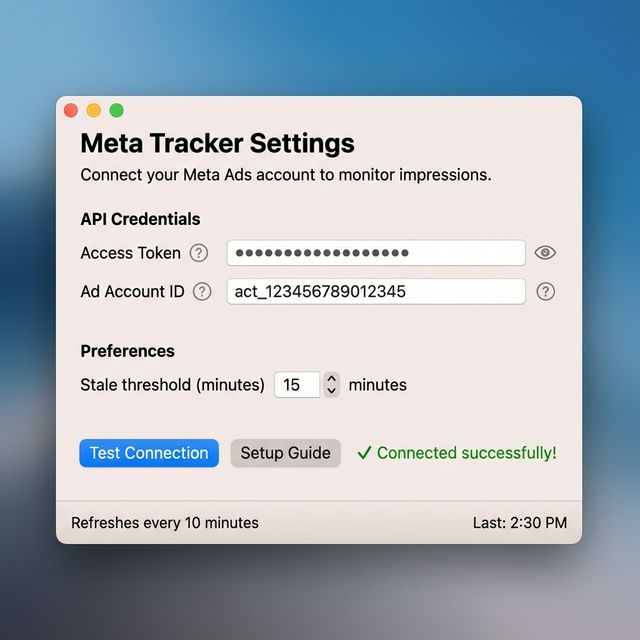
Polls the Meta API every 10 minutes. If no new impressions for 15+ minutes, you'll know.
Your data stays on your Mac. No third-party servers, no tracking, no analytics. Just you and Meta's API.
Built with SwiftUI. Under 500KB. Uses virtually zero CPU and memory. No Electron bloat.
One missed click on a stalled campaign costs you $3–8. PulseBar costs less than that — per month.
💯 30-day money-back guarantee. If PulseBar doesn't save you from at least one stalled campaign, we'll refund you. No questions asked.
PulseBar connects to the official Meta Marketing API using your access token. It polls your ad account every 10 minutes to check for new impressions. If impressions are flowing, the indicator is green. If no new impressions are detected for 15+ minutes, it turns red so you can investigate.
Absolutely. PulseBar runs entirely on your Mac and communicates directly with Meta's API. Your credentials are stored locally on your machine — we never see them, store them, or transmit them anywhere. There is no third-party server involved.
PulseBar requires macOS 13 (Ventura) or later. It's a native SwiftUI app that's optimized for both Intel and Apple Silicon Macs.
The app includes a built-in Setup Guide with step-by-step instructions. In short: create a Meta App at developers.facebook.com, generate an access token at the Graph API Explorer, and find your Ad Account ID from the Ads Manager URL. Takes about 5 minutes.
Short-lived tokens expire in 1 hour, but you can easily exchange them for a long-lived token (~60 days) using a built-in guide. For permanent access, you can create a System User token in Business Manager — the guide covers both options.
Currently, PulseBar monitors one ad account at a time. Multi-account support is on the roadmap for a future update.
Every minute your ads are down is money burned. PulseBar gives you certainty for less than the cost of a single wasted click.
Download Free for MacFree forever • Upgrade anytime • 30-day money-back guarantee on Pro